How to Manage Multiple Construction Projects Without Living in Your Inbox
A working playbook for builders running 15+ active jobs, written by people who have actually run 60.
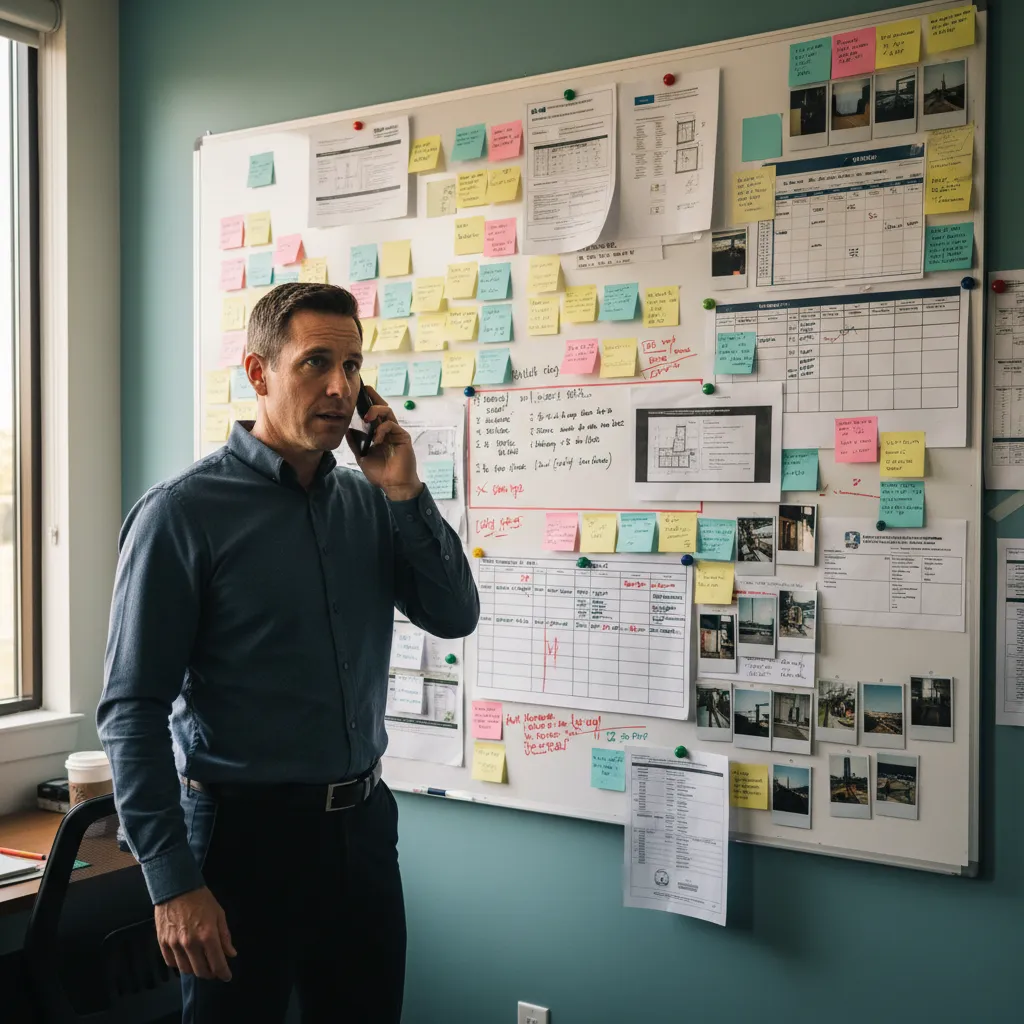
It is Tuesday morning. A permit slipped past expiration in Pasco County. A sub showed up uninsured and the office only learned about it when the inspector pointed at the file. A customer called asking for an update and whoever answered the phone had to track down the PM, then call back. If you are trying to manage multiple construction projects with the same system you used at five projects, this is what it looks like when the system stops working.
Most builders can mentally hold about 7 to 10 active projects at one time. At 15, the cracks appear. At 20, the system holding the operation together is one person brain, and that person is not sleeping. The rest of this article is about replacing that brain with something less fragile.
Managing multiple construction projects breaks down around 15 active builds. The fix is not more discipline, it is a system that tracks construction phases automatically. The 6 strategies that work: (1) standardize a phase pipeline, (2) replace status meetings with exception reviews, (3) track every permit and COI with expiration alerts, (4) give every project a single owner, (5) sequence site visits by route, and (6) move from memory to software.
The Breaking Point: Why Your Current System Stopped Working at 15 Projects
Spreadsheets are great at 5 projects, manageable at 10, and broken at 15. The reason is structural. Spreadsheets store data, they do not surface what changed. You have to remember to look. At 15+ active builds, the number of things you need to remember to look at every morning is past what any human can hold in their head while also doing the work. Managing multiple builds simultaneously is no longer a productivity problem. It is a memory problem.
You can hold about 7 projects in your head at one time. You are running 20. The system is your memory, and your memory is failing.
Three categories of failure show up at this scale. Compliance failures: expired permits, lapsed sub COIs, missed inspections that the municipality finds before you do. Communication failures: customers calling for updates and getting voicemails, two PMs duplicating work because no one knows what the other did. Financial failures: draws not collected on time because no one was watching, change orders unbilled, commissions miscalculated.
The Three Failure Modes at Scale
- Compliance failures. A permit window in Pasco County expires while the project sits in Production, or a subcontractor COI lapses and nobody catches it before the next work order goes out. Each one carries real liability exposure.
- Communication failures. The customer called Tuesday for an update, the PM is on a different job, the office said they would call back, and nobody did. By Thursday it is a 1-star review.
- Financial failures. The draw at 50% completion was supposed to be invoiced when Production closed, but Production technically closed three weeks ago and the draw is still uncollected. Multiplied across 30 projects, this is real money.
Why Discipline Alone Will Not Save You
Discipline scales linearly. You can be 10 percent more disciplined this quarter than last. Project volume scales geometrically. Going from 10 projects to 25 projects does not 2.5x your workload, it 6x your workload because every project interacts with every other project (shared subs, shared inspectors, shared customer-service load). You cannot out-discipline a math problem. You need a system that scales with you.
6 Strategies That Actually Work for Multi-Project Management
These are tactical, ordered roughly from easiest to implement today to requires real change. They will get you from 12 projects to about 25 projects of effective control. Past 25, see the next section. None of them require new software on day one. Most of them work better when you eventually do add software.
Standardize a Phase Pipeline Every Project Moves Through
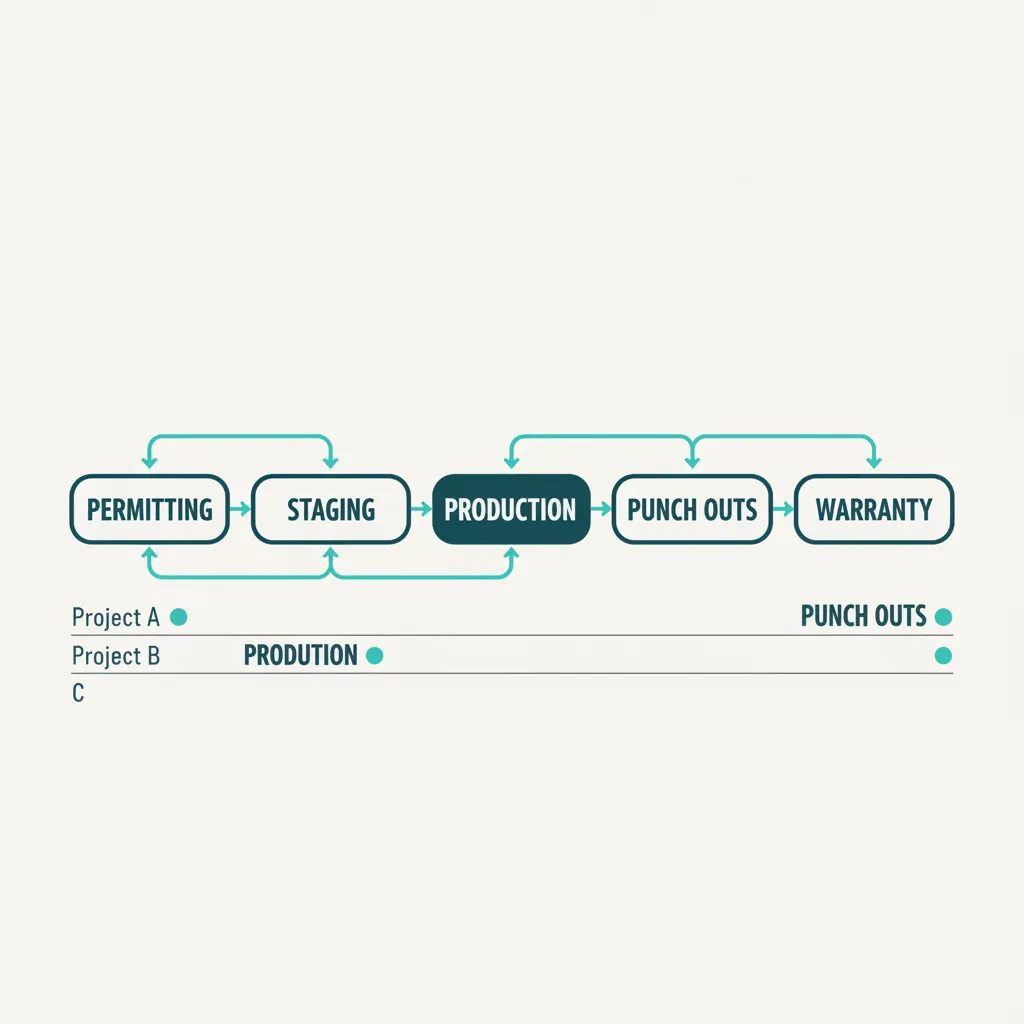
Pick five phases. Use them for every project. The value is not the names, it is the consistency. Construction project organization at scale starts when "where is this job?" becomes a one-word answer instead of a phone call.
- Permitting. Permit applications, plan reviews, approvals, and permit numbers live here. Until the permit is approved, the project does not advance.
- Staging. Materials ordered, subs scheduled, site prepared. The phase before any actual physical work happens.
- Production. The build itself. The longest phase by calendar time.
- Punch Outs. Final touches, inspections, customer walkthroughs. The phase customers always think will be shorter than it is.
- Warranty. Post-completion. The phase most builders never formalize, and the phase that produces the most referrals when you do.
Replace Status Meetings With Exception Reviews
A typical 2-hour Monday production meeting is mostly status reporting that could be a dashboard. The PMs go around the table reading off project names. The owner takes notes. Decisions get made on three of the 30 projects discussed. Two hours, three decisions, and the team is now an hour behind for the rest of the morning.
If your weekly production meeting takes more than 30 minutes, you are using meetings to do work the system should be doing.
- Stalled projects. Any job that has not advanced a phase in 14 days.
- Expiring permits. Any permit window inside 30 days of expiration.
- Expiring COIs. Any subcontractor whose insurance lapses inside 30 days.
- Unaddressed customer messages. Anything older than 48 hours without a reply.
Track Every Permit and COI in One Place With Expiration Alerts
The most expensive failures are compliance failures. A single uninsured-sub incident can cost between $10,000 and $500,000 in liability exposure. Your subcontractor insurance expired three weeks ago. You just do not know it yet. The fix is not more checking, it is automatic alerts before each expiration. WFP handles permit and COI tracking inside its inspection workflow at /features/inspections, and the related Buildertrend abandonment article at /blog/why-pool-builders-abandon-buildertrend covers what happens when the tracking simply does not exist.
Give Every Project a Single Owner of Record
When a project has two PMs assigned loosely, nothing happens. When it has one named owner, things move. This is process discipline, not software, but the system can enforce it: every project has exactly one PM in the owner field, and that PM is the only person whose phone number the customer has. Diffuse accountability is one of the biggest hidden taxes on multi-project management construction teams.
Sequence Site Visits By Route, Not By Panic
Most PMs zig-zag across their service area because they visit whichever project just called them. A route-mapped calendar that sequences visits by location turns 6 hours of driving into 3.5. Route planning to visit 6 job sites should not require the PM to figure out the order herself, every time, in her head. WFP route mapping at /features/scheduling treats the daily site visit list as an optimization problem, not a memory problem.
Move From a Memory-Based System to a Software-Based One
This is the strategy that changes everything else. Memory does not scale. Spreadsheets do not surface change. Group chats do not enforce compliance. At some point, you need a system that watches your projects for you. That is the natural transition into the next section.
When Process Stops Being Enough: The Role of Software in Multi-Project Management
Process and discipline get you to about 12 to 15 projects. Past that, the bottleneck is no longer behavior, it is bandwidth. You can be the most disciplined PM on earth and still lose a permit because there are 47 of them and you cannot track that many windows in your head. At that point, the answer is not a better whiteboard. It is software that does the watching.
Software does three things process cannot. It remembers everything without effort. It surfaces exceptions automatically: stalled jobs, expiring permits, expired COIs. And it makes your operation legible to people who are not you, which is the only way to delegate.
The job of construction PM software is not to make you faster. It is to make your business legible to someone other than you.
What Software Can Do That Process Cannot
- Phase automation. Projects advance from one phase to the next based on completion triggers, not memory.
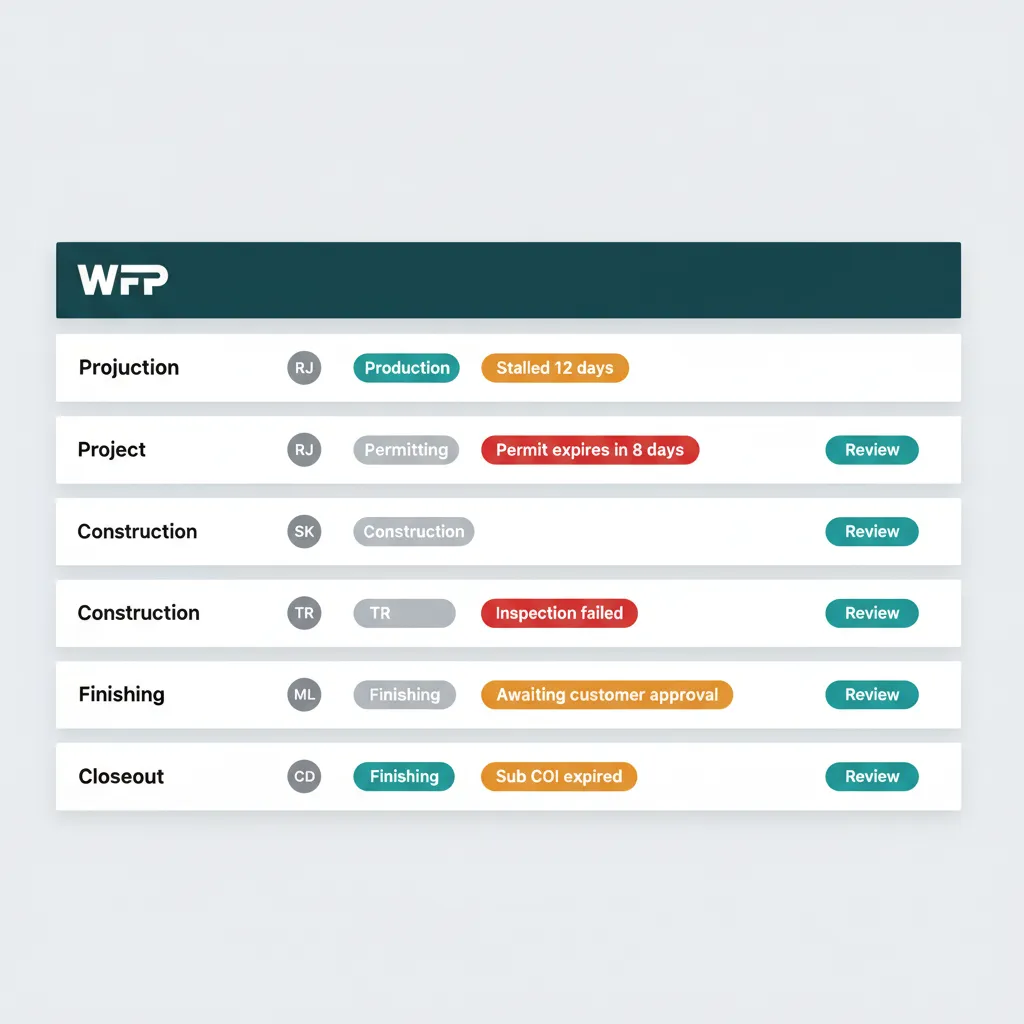
- Permit windows with alerts. Every permit shows a countdown badge on the dashboard, and three different views surface the alert before expiration.
- Sub COI tracking with expiration dates. Work orders to a non-compliant sub get blocked at the system level.
- Attention queues that surface stalled jobs. The first screen the owner opens every morning lists the 5 jobs that need answers, with a reason badge each.
- Single-screen visibility across every project. Every job, every phase, every PM, every payment status, on one row each.
What Software Cannot Do
Be honest about the limits. Software does not fix culture. It does not write your SOPs for you. It does not magically make your team adopt it. If your team is openly resistant to using a system, no software will save the implementation. The next section is about choosing software your team will actually use.
What to Look for in Construction PM Software (And What to Avoid)
Most builders evaluating software burn 6 or more months on the wrong tool. The reason: they evaluate features, when they should evaluate adoption. A platform with 200 features that takes 9 months to implement is worse than a platform with 60 features that ships in 5 days, because the 9-month tool will be abandoned in month 4.
Adoption Beats Features
Evaluate the things that determine whether your team will actually use the platform on day 90.
- Time to first real project loaded. If you cannot have a live job in the system within a week, the implementation is going to drag.
- Intuitiveness of the daily PM workflow. The PM should not need a manual to advance a phase or post a customer update.
- Presence of construction-specific concepts. Phases, permits, COIs, work orders, draws, punch outs. If the platform does not use these words, it was not built for you.
- Unlimited users versus per-seat pricing. Per-seat pricing scales against you the moment your team grows.
- Transparent flat pricing versus custom-quote enterprise tiers. Hidden pricing usually means the platform was built for buyers with procurement teams.
The Three Software Failure Modes
- Generic project management with construction features bolted on. The data model is "tasks" with construction labels. See the WFP vs Buildertrend comparison at /vs/buildertrend for what this looks like in practice.
- Per-user pricing that scales against you. At 5 users it is cheap. At 25 users you are paying $700 a month and rising every time you hire.
- Onboarding that takes 6 to 12 months. By month 4 your PMs are back on Excel because the implementation stalled, and by month 9 you are evaluating replacements.
What Phase-Based Project Management Actually Looks Like
For example, WFP organizes every project around a 5-phase pipeline that moves automatically when completion triggers fire. The attention queue surfaces stalled jobs every morning with reason badges. The all-projects dashboard shows every job, every phase, every PM, on one screen. None of this requires the owner to remember to look. The construction project management software at /features/project-management is built around this pattern. The full features overview at /features lists the rest of the platform.
Quick Answers for Builders Managing 15+ Projects
With the right software, an experienced PM can effectively run 20 to 30 active projects without losing track. Without software, the practical ceiling is 8 to 12. The difference is not the PM talent, it is whether the system surfaces what changed since yesterday or whether the PM has to remember to check.
It depends on your size and project type. For mid-size pool builders and 12-to-30-person GCs, look for construction-specific phase tracking, sub compliance with COI expiration alerts, flat pricing with unlimited users, and short time to value. WFP is built for exactly this segment. Procore fits 50+ person commercial GCs. Buildertrend fits builders willing to invest 6 to 12 months in adoption.
Tie every COI to the subcontractor record, not to the project. Set automatic expiration alerts 30 days before each COI expires. Block the system from issuing work orders to a sub whose insurance is expired. This is one of the few places where automated enforcement, not human discipline, is the only practical answer at scale.
Stop using production meetings as status reports. The dashboard is the status report. Use the meeting time for exception reviews: only the 5 to 10 projects that are stalled, blocked, or off-schedule. Most production meetings shrink to under 30 minutes once the dashboard is doing the status reporting.
As soon as you cannot answer "where is every active job right now?" in under 60 seconds. For most builders, this is around 12 to 15 active projects. Past that point, the cost of staying on spreadsheets shows up in missed permits, expired COIs, lost draws, and PM burnout. Software will not save a disciplined operation at 5 projects, but it is the only thing that scales an operation past 15.
Key Takeaways
- Most builders hit a wall around 15 active projects. The bottleneck is cognitive load, not effort.
- Standardize a phase pipeline (Permitting, Staging, Production, Punch Outs, Warranty) so every project status becomes a one-word answer.
- Replace 2-hour status meetings with 30-minute exception reviews. The dashboard handles status.
- Track permits and subcontractor COIs in one place with automatic expiration alerts. Compliance failures are the most expensive failures.
- Process discipline gets you to about 12 projects. Past 15, you need software that surfaces exceptions automatically. WFP is built for builders running 20 to 60 simultaneous projects.
Stop Running Your Business From Memory.
WFP was built for builders running 20+ active projects who are tired of being the system. Bring three real jobs to a demo and we will show you what your morning looks like with WFP.
Schedule a DemoNo 6-month onboarding commitment. No per-seat pricing. Just a conversation about how your operation could run.
Related Articles

Why Pool Builders Abandon Buildertrend
You spent 4 months trying to make Buildertrend work for your pool construction company. Your PMs hate it. Your subs do not use it. Here is why it failed and what to do next.
Read more
WFP vs Buildertrend
An honest, head-to-head comparison written by builders who actually used Buildertrend, abandoned it, and built the alternative.
Read more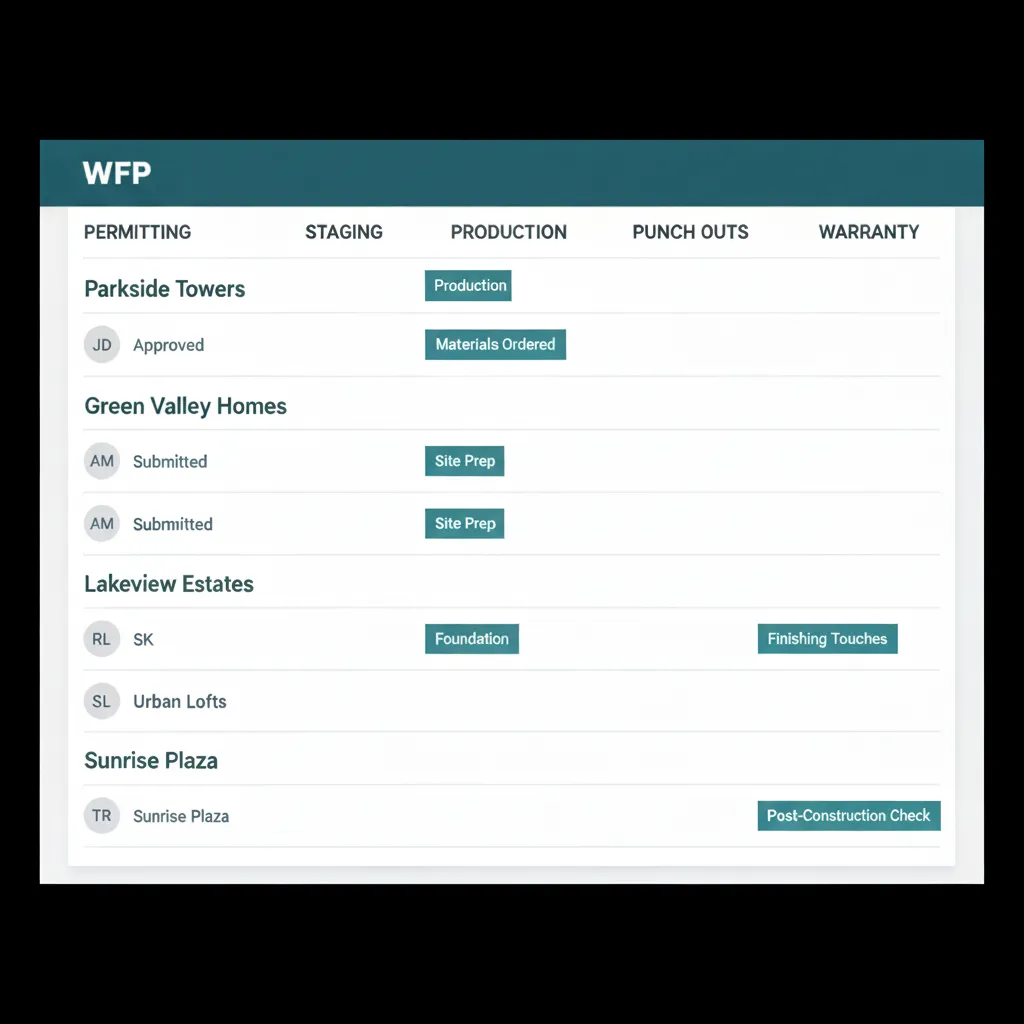
Project Management Feature Page
How WFP handles multi-project chaos: phase automation, attention queues, and "in phase" duration tracking.
Read more