Your Sales Rep Thinks He's Owed $8,400. Your Spreadsheet Says $7,200. Nobody Trusts the Math.
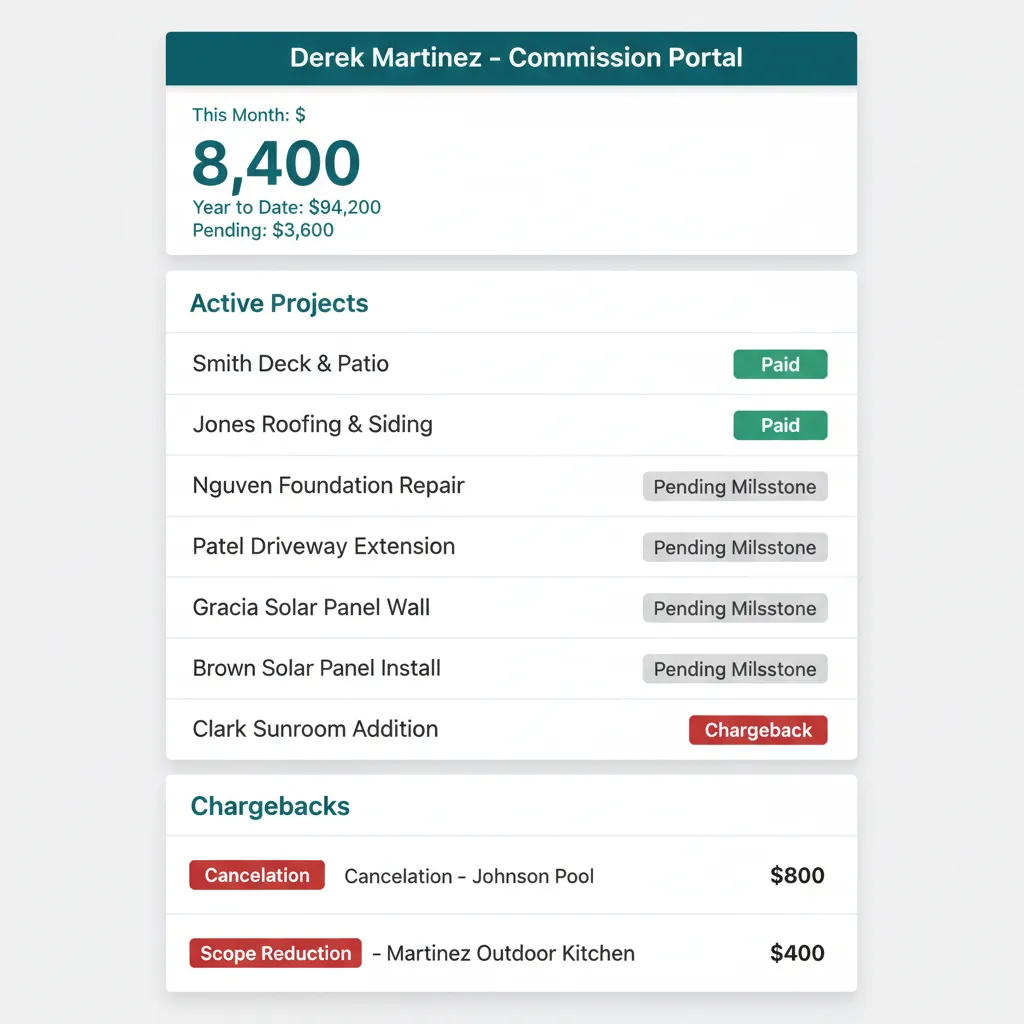
WFP automates every calculation against project milestones and gives every sales rep a portal where their earnings are visible to them, in real time, without anyone having to ask.
Every Month, the Same Argument. Every Month, Someone Loses Trust.
It is the last week of the month. Your sales rep has been running the numbers in his head for three weeks. He thinks he closed eight pools and earned around $8,400. The office sends him his commission statement and it says $7,200. There were chargebacks he was not told about. A deal was reclassified. Another deal slipped to next month. He walks into your office, the conversation takes an hour, and nothing about the math felt fair, even if it was, because he could not see how it was built.
The cost is not just the hour. Sales reps quit over commission disputes, and good reps quit first because good reps have options. You replace one and the new one closes about thirty percent less for the first six months while he ramps up. Multiply by even one rep a year and the price of opacity is six figures, easily. Commission tracking for construction sales has been a tax on owners who never had a system that calculates itself.
Construction sales commission software does not have to mean another spreadsheet. It can mean a rule that runs the moment a milestone hits, a portal the rep checks on his own time, and a dollar amount you both already agree on before the meeting starts.
Owners hate the arguments. Reps hate the opacity. The fix is not better arguing. The fix is making the math visible to both sides, all the time.
Calculations in Code, Earnings in Real Time, Chargebacks in Plain English.
WFP turns commissions from a spreadsheet you maintain into a system that calculates itself. Every project milestone trips its commission rule. Every chargeback has a reason attached. Every rep sees their own earnings without having to ask.
Automated Commission Calculation
Commission rules are configured per role and per project type. When a project hits a triggering milestone, signed contract, deposit collected, dig completed, pool delivered, pool school passed, the commission is calculated and posted automatically. No spreadsheet edits. No end-of-month reconciliation. Automated commission calculation is a rule, not a routine.
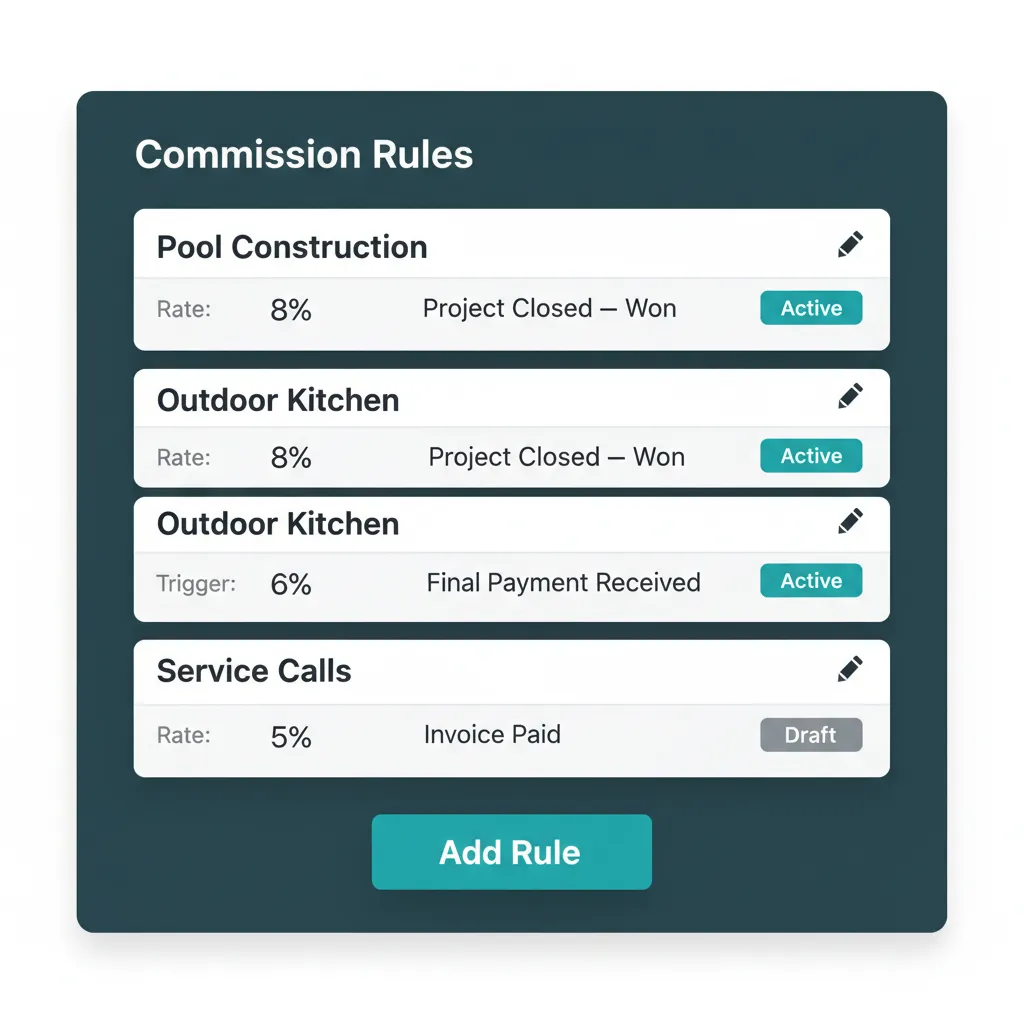
Configure once. The math runs itself the rest of the year.
Sales Rep Transparency Portal
Every sales rep has a portal that shows earnings to date, year-to-date, every project they are credited on with current status, pending commissions waiting on milestones, and total chargebacks with line-item reasons. This is the sales rep commission portal construction owners have been promising their teams for years. Reps open it whenever they want. They never have to ask.
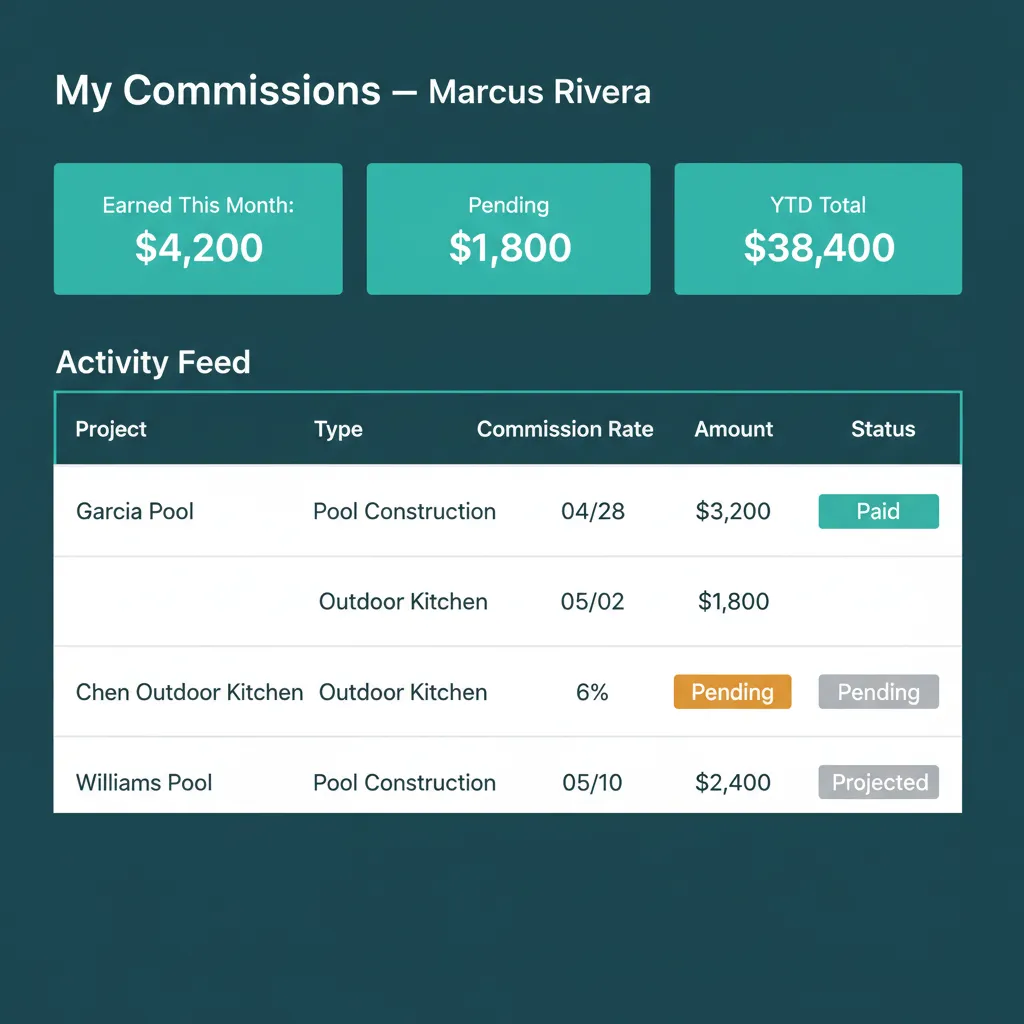
The rep sees the number before the meeting starts.
Chargeback Handling with Reasons
Cancellations, refunds, scope reductions, and post-sale reclassifications generate chargebacks automatically. Each chargeback shows the reason code, the dollar amount, the source project, and the date applied. The rep sees it the moment it posts, not three weeks later when the statement lands.
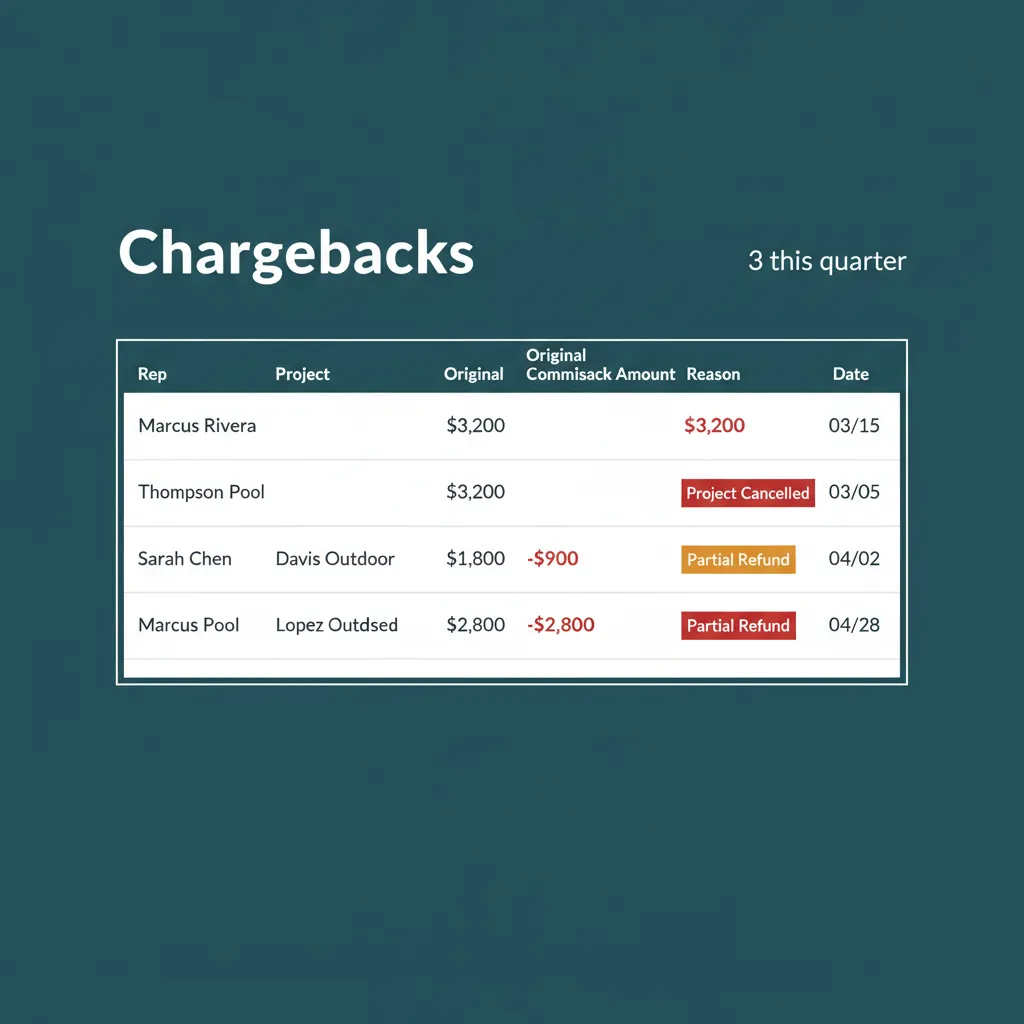
Chargebacks come with reasons attached. Always.
Owner-Side Visibility and Approval
Owners see total committed commissions across all reps for the month, projected payouts based on pipeline, and a dashboard for any pending approvals such as manual adjustments above a threshold. The math is visible to the owner before it is paid, and the audit trail is complete the moment the payout posts.
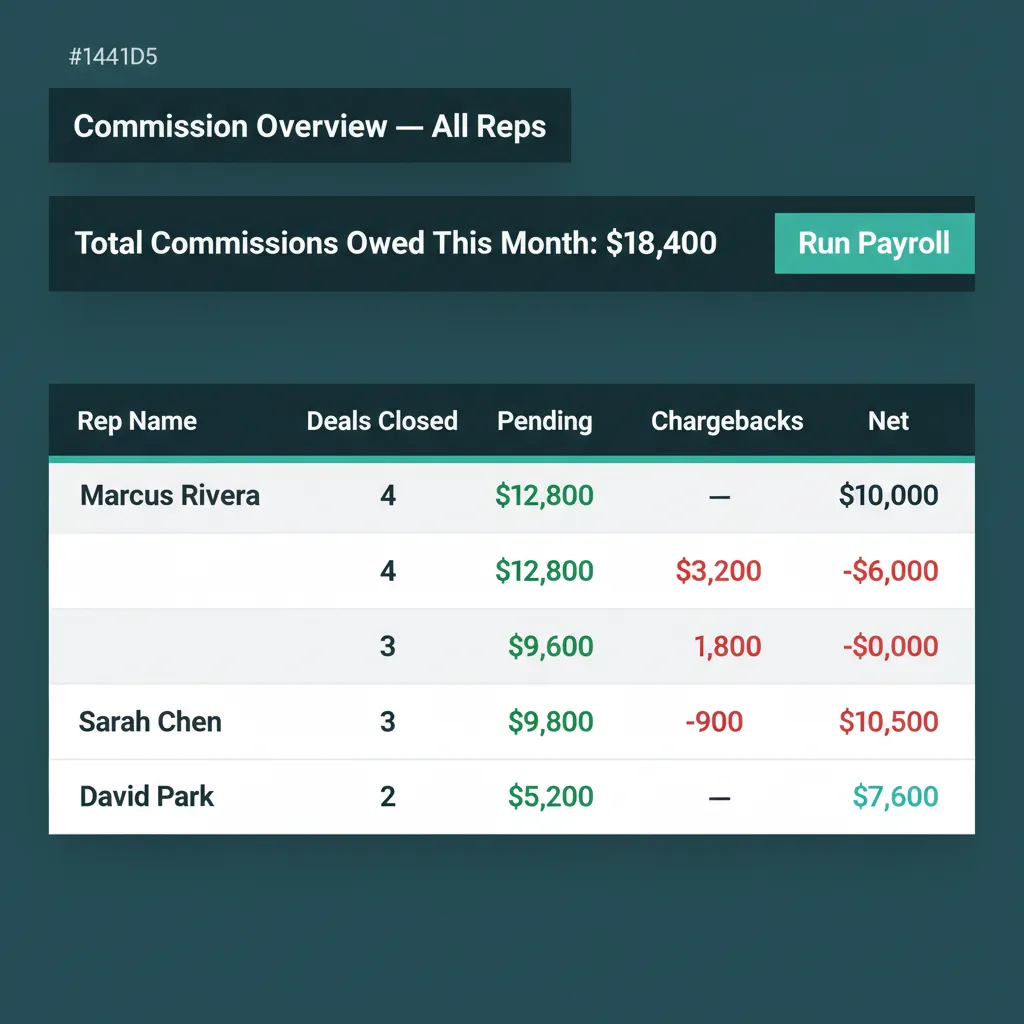
You see what your reps see, plus the totals.
WHAT EVERY OTHER PLATFORM SKIPS
No Construction PM Tool Markets Commissions. We Wonder Why.
Buildertrend has a feature list. Commission tracking is not on it. Procore has a feature list. Commission tracking is not on it. JobTread, Poologics, and ProDBX skip it as well. Their explanation, when you ask, is that commissions belong in a separate system. Their unspoken explanation is that the people who built these platforms never had to manage a sales team for a pool builder running a competitive sales floor.
Sales is not a separate system. Sales is the front of the operation. Every project on the dashboard started as a deal a rep closed. Treating commissions as somebody else's problem is how you end up with a high-performing rep walking out the door over a chargeback he found out about by accident. WFP refuses that hand-off. Sales is in the platform because sales is in the operation, and sales commission management construction owners actually run cannot live in a separate spreadsheet.
Why we built this
We built this because we lost a sales rep over $1,800 once. Never again.
BATTLE-TESTED
Makes the whole process a breeze.
The end-of-month commission argument that used to take an hour and damage a relationship now takes zero minutes. Every rep already knows the number before the meeting starts. The meeting becomes a thank-you, not a negotiation.
Common Questions About Commission Management
Commission rules are configured per role and per project type. Each rule defines a triggering milestone, signed contract, deposit, dig completed, pool delivered, and a percentage or flat amount. When the milestone is reached on a project, the commission is calculated and posted to the rep account automatically. No manual entry required.
Yes. Every rep has a transparency portal showing earnings to date, year-to-date, projects credited, pending commissions, and chargebacks with reasons. They access it any time, no request required, and the number they see is the number you see. Construction sales commission software is only useful when both sides are looking at the same screen.
Chargebacks generate automatically when triggering events occur, cancellation, refund, scope reduction, project reclassification. Each chargeback has a reason code, dollar amount, source project, and date applied. Reps see chargebacks the moment they post, not three weeks later.
Yes. Multi-tier rules, role-based splits, milestone-based percentages, and flat-fee bonuses are all supported. Configurable per project type, so pool builds, remodels, and service contracts can use different commission models in the same WFP instance.
Configurable. Some companies set commissions to auto-post once milestones hit. Others require an owner approval step for payouts above a threshold. The workflow supports both modes, and the audit log records every decision.
Yes. Commission totals export to CSV by rep, by month, by project, or by role for use in QuickBooks, ADP, Gusto, or any payroll system. The export matches whatever fields your payroll provider expects.
See Commission Management in Action.
Bring a real commission structure and a real recent dispute, and we will show you how WFP would have handled both before either reached your office.
Schedule a DemoNo 6-month onboarding commitment. No per-seat pricing. Just a conversation about how your operation could run.