Your Subcontractor's Insurance Expired Three Weeks Ago. You Just Don't Know It Yet.
WFP tracks every COI, workers' comp policy, and license expiration on a color-coded health dashboard, alerts you 30 days before anything lapses, and prevents non-compliant subs from being assigned to work orders.
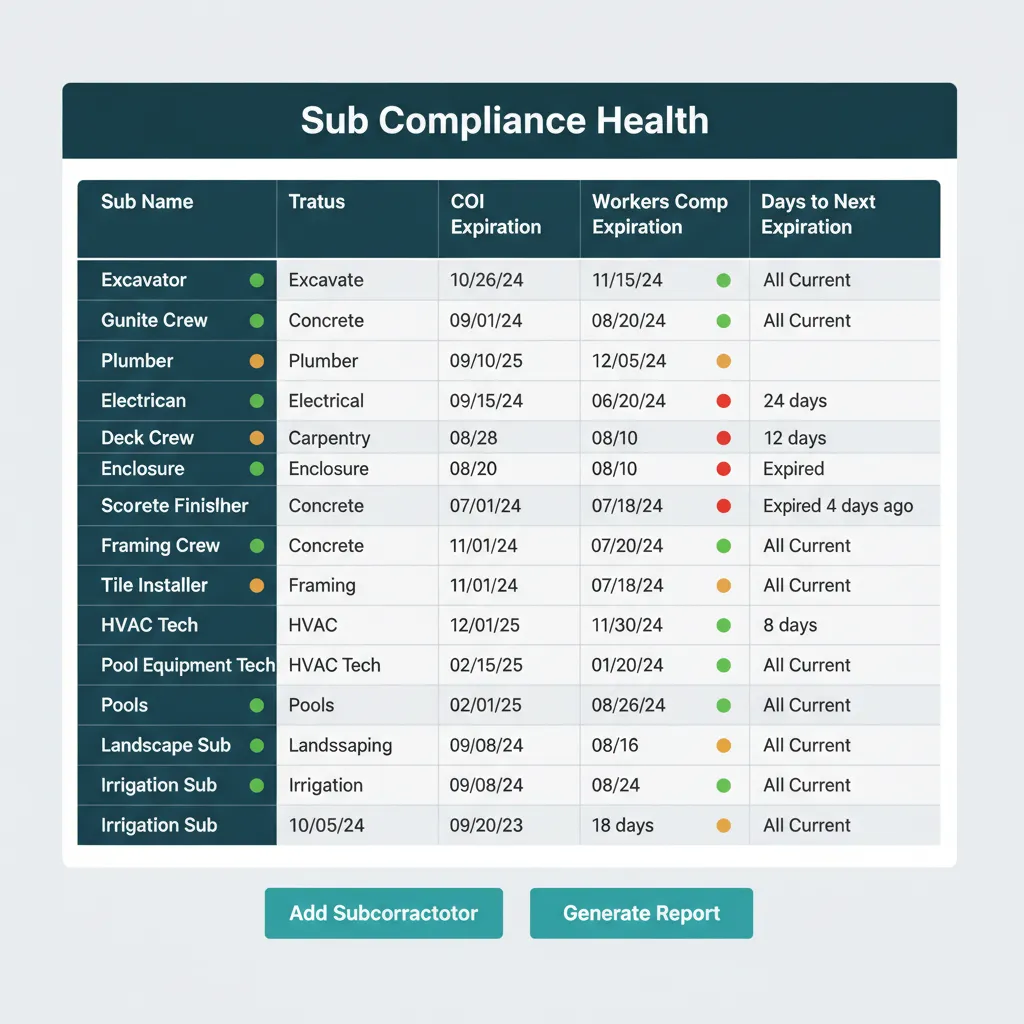
You Use 15 Subs Across 30 Pools. Their Insurance Renews on 15 Different Days.
It is Tuesday morning. Your PM assigns the gunite crew to the Patel project because they have the bandwidth this week. He texts the crew lead, sends the work order, moves on. Nobody opened the COI folder. Nobody noticed the policy expired April 12. By the time the gunite finisher slips on rebar, the policy has been dead three weeks, and the workers' comp claim lands on your general liability. Subcontractor compliance tracking software is exactly the layer that would have caught this on April 1.
Pool builders depend on a heavy sub stack: excavators for dig, gunite crews for shell, plumbing for skimmer and returns, electrical for pool equipment, deck crews for travertine and pavers, screen enclosure installers, sometimes specialty subs for spas, water features, or salt systems. Every sub rolls their own insurance. Every COI has a different renewal date. The pile of certificates in the file cabinet is not a system, it is a museum. COI tracking construction operations of any size cannot be done by hand once you cross the 8-sub mark.
When the policy that protects your business renews on 15 different days across 15 different subs, the only system that can keep up is one that watches them for you.
That Watches Your Subs So You Don't Have To. A Color-Coded Health Dashboard
WFP gives you five tightly connected pieces: a green, yellow, red sub compliance dashboard, COI document storage tied to each sub, automatic 30-day expiration warnings, the ability to disable non-compliant subs from work order assignment, and compliance status visible at the moment of assignment.
Color-Coded Compliance Health
Every sub at a glance. Green if all policies are current and well-dated. Yellow if anything expires within 30 days. Red if anything is expired today. One screen shows you the whole sub roster's compliance state in five seconds. Sub compliance management construction teams need is a dashboard you can scan, not a folder you have to dig through.
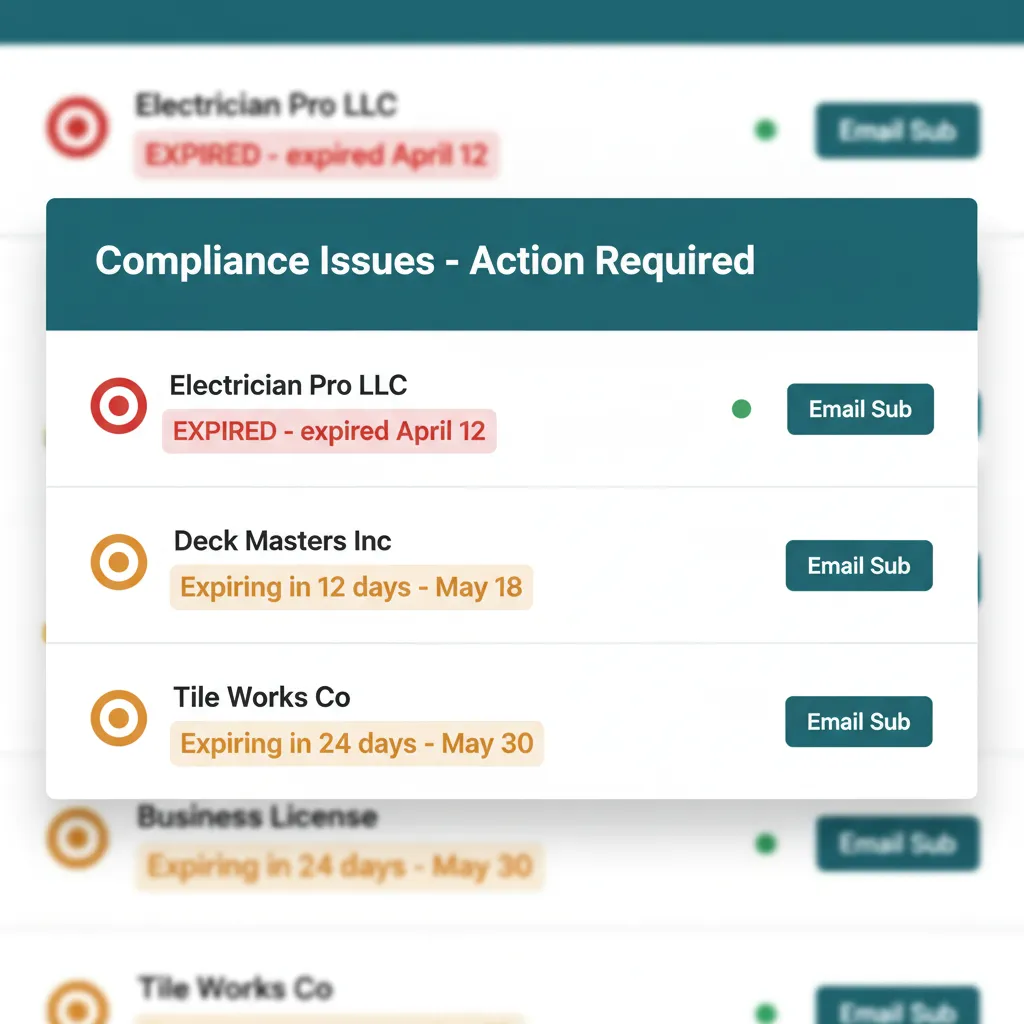
Five-second scan, then act.
COI Document Storage
Every certificate of insurance, workers' comp policy, business license, and trade license attached to each sub's record. Drag and drop upload. Auto-extracts expiration dates from PDFs when readable. A searchable archive is exactly what you want when an audit lands or a client asks for proof of coverage.
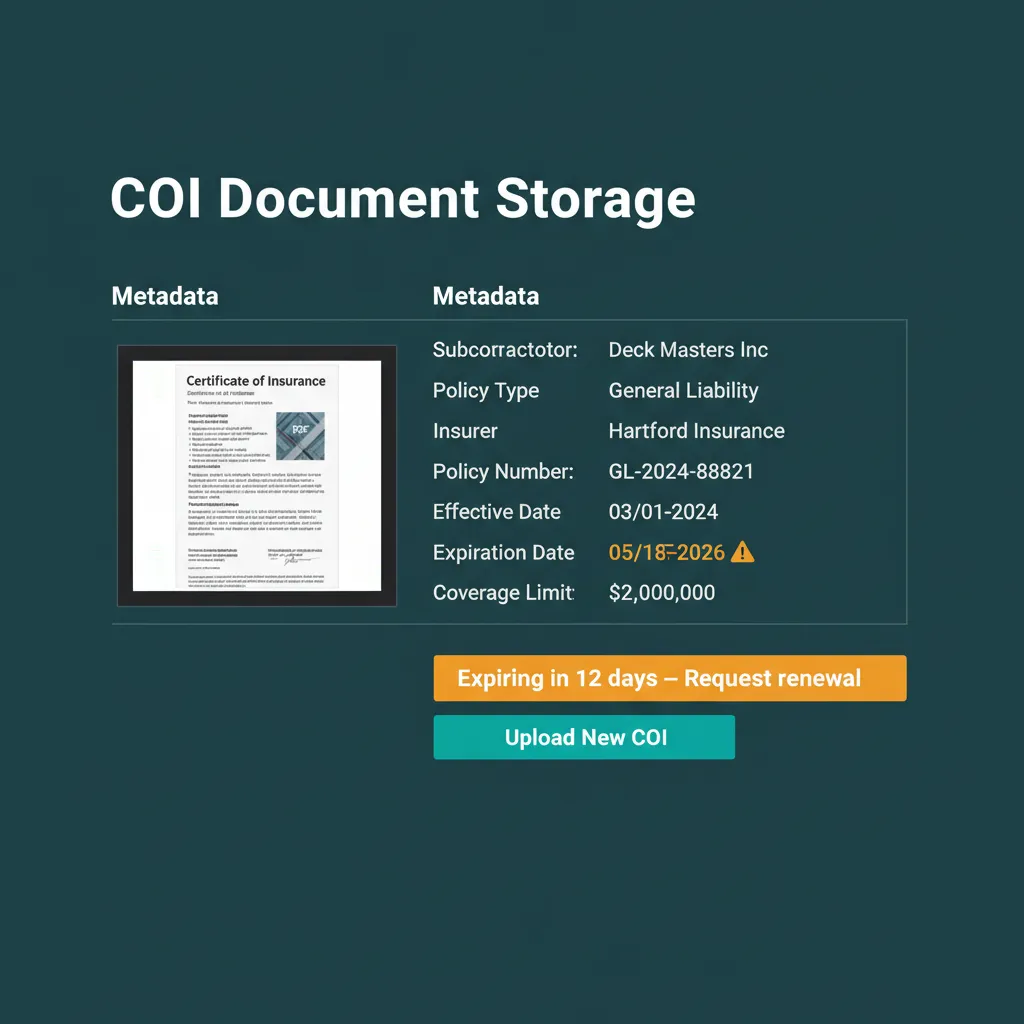
Every document, attached to the sub, searchable later.
Auto-Expiration Alerts
WFP scans every policy date every night. At T-minus-30-days, the sub flips yellow and the back-office gets an alert. At T-minus-7-days, the alert escalates. At expiration, the sub flips red and the next safeguard kicks in. Subcontractor insurance tracking happens in the background while your team focuses on building.
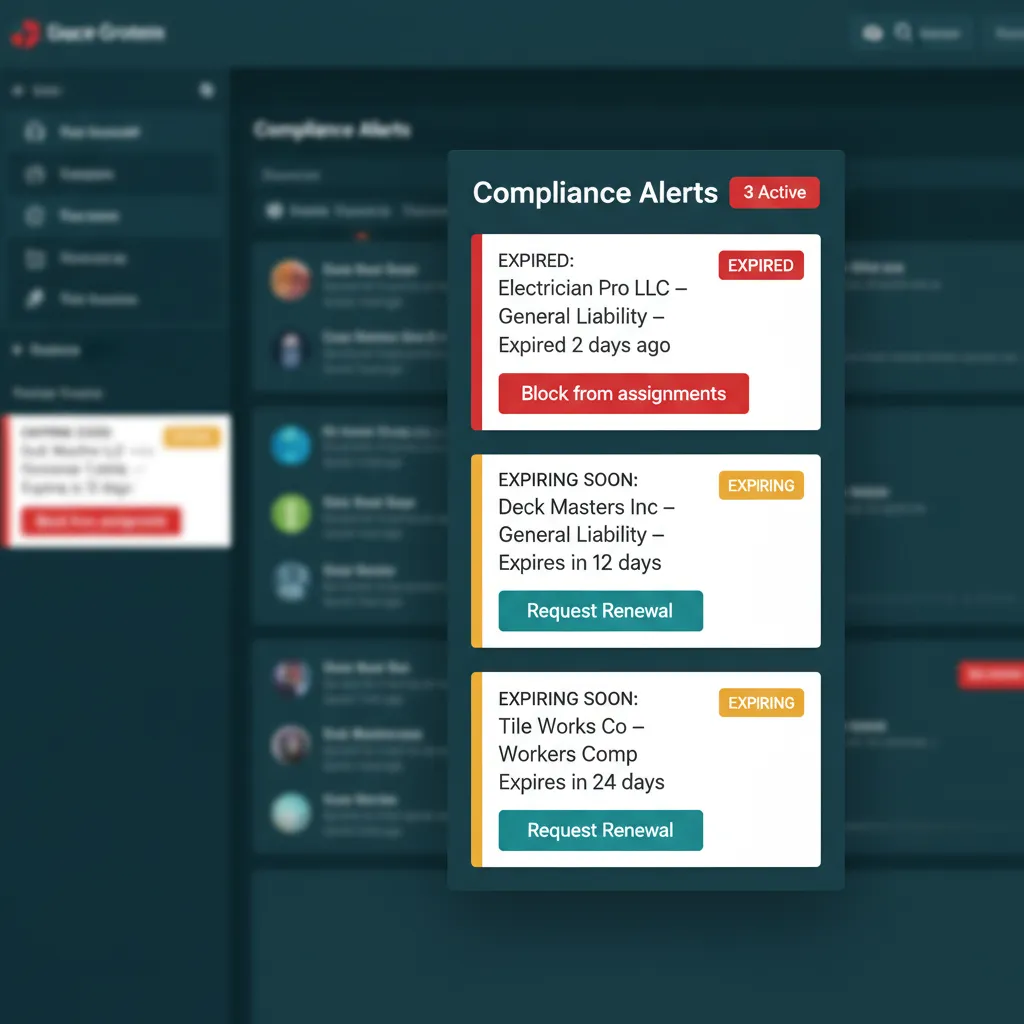
30 days out. 7 days out. Expired. The system never forgets.
Block Assignment for Non-Compliant Subs
When a sub goes red, your PM cannot assign them to a new work order. The system blocks the assignment with a clear compliance hold message. The PM either resolves the COI on the spot or picks a compliant alternate. The mistake that creates the liability becomes structurally impossible to make.
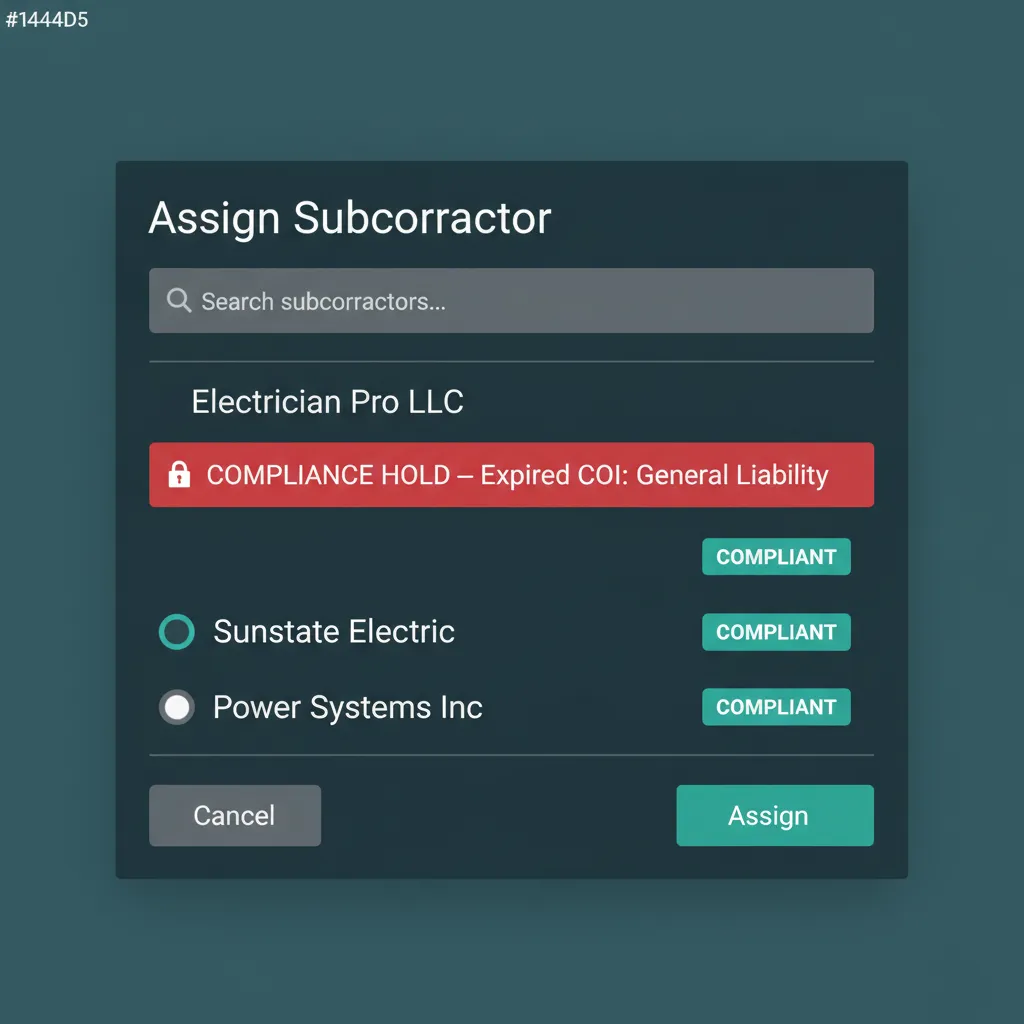
The assignment that creates the liability is the assignment WFP refuses to let you make.
Compliance Visible at Assignment Time
When Jessica picks a sub from the work order assignment dropdown, each sub's name carries a colored dot. She sees the compliance state before she clicks. No tab-switching. No second guess. The decision is informed at the moment of decision.
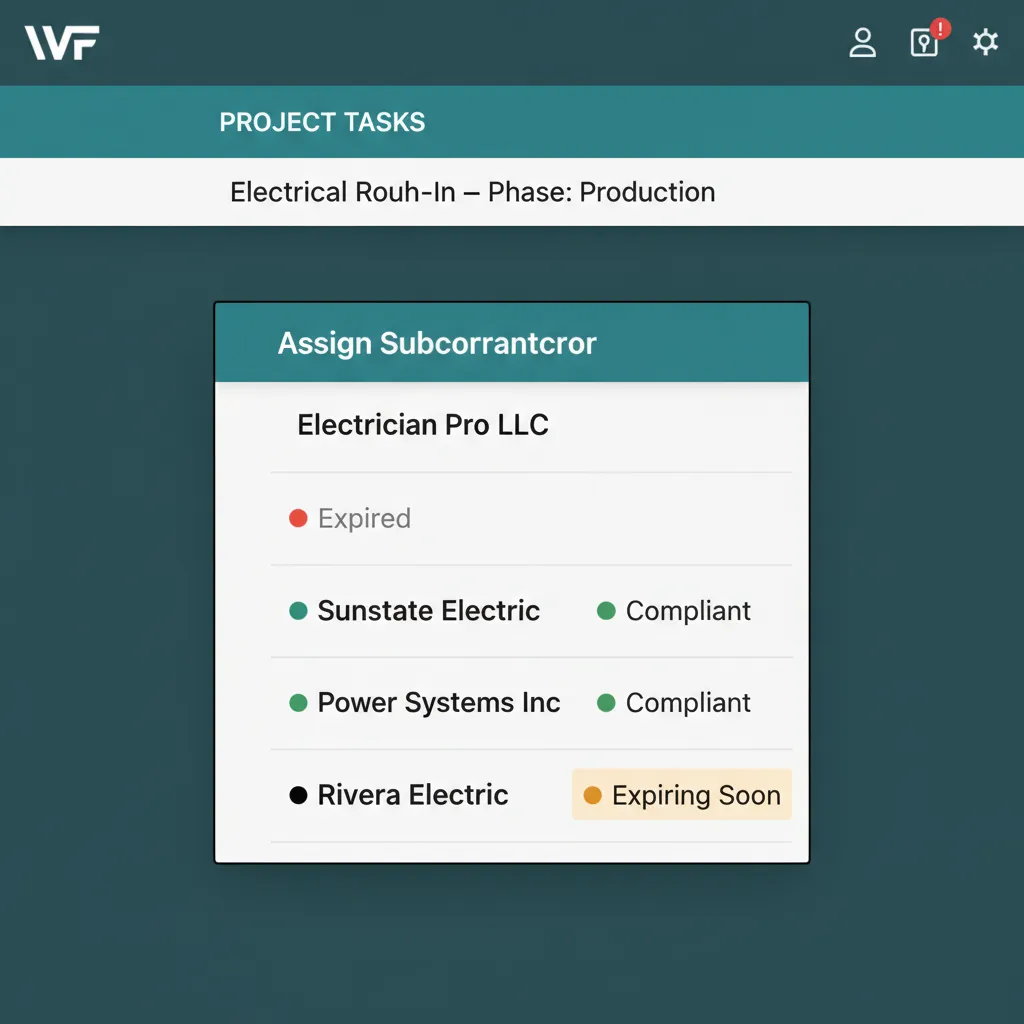
A colored dot. The whole answer.
WHAT THE BIG PLATFORMS DON'T DO
No Competitor Markets Subcontractor Compliance as a Core Feature.
Buildertrend has no dedicated sub compliance dashboard. Procore treats it as an enterprise add-on bolted onto a workflow built for $50M-plus general contractors. JobTread does not market it. The pool-specific tools (Poologics, ProDBX) do not have it either. WFP is the only construction OS where sub compliance is a first-class feature with a dashboard, an alerting system, and a hard gate on work order assignment. Subcontractor management software at WFP is not a tab, it is the system.
Pool builders depend on subs the way restaurants depend on a back-of-house line. Excavators, gunite crews, plumbers, electricians, deck installers, every one of them is a separate insurance relationship. The platform that lets you assign work without confirming coverage is the platform that puts your business at risk. WFP is the platform that does not.
Why we built this
One uninsured incident on a job site can wipe out a year of profit. WFP is the only system that prevents the assignment in the first place.
BATTLE-TESTED
The exposure on a single uninsured sub injury runs $10K to $500K-plus in legal and medical liability. One avoided incident covers years of WFP, four on a low-end claim, sixteen-plus on a serious one. The compliance dashboard is the cheapest insurance the owner has ever bought.
Common Questions About Subcontractor Compliance
Certificates of Insurance, workers' comp policies, general liability policies, business licenses, trade licenses, W-9s, and any custom document type you require for your project types. Each document is attached to the sub's record with an expiration date and a viewable PDF.
At 30 days out the sub flips yellow and the back-office gets an alert. At 7 days out the alert escalates. At expiration the sub flips red, the dashboard shows the gap, and the work-order assignment is blocked until the COI is updated.
Yes. The system hard-blocks assignment of any sub in red status. The PM sees a compliance hold message and either resolves the COI or picks an alternate. The mistake that creates the liability becomes structurally impossible.
A spreadsheet does not watch dates for you, does not alert you 30 days before lapse, does not block assignments, and does not survive contact with 15 subs and 30 active projects. WFP does all four automatically and stores the actual PDFs.
Yes. The compliance system is configurable for any sub type, roofing, HVAC, electrical, plumbing, framing, finish carpentry, drywall, masonry. The required-document set is configurable per sub type and per project type.
The sub gets a request link via email or text. They upload the PDF directly. WFP attempts to auto-extract the expiration date and routes any ambiguous date to your back-office for confirmation. No portal login required for the sub.
See Subcontractor Compliance in Action.
Bring your sub list. We will show you what your roster's compliance health looks like on one screen, with the alert calendar already running.
Schedule a DemoNo 6-month onboarding commitment. No per-seat pricing. Just a conversation about how your operation could run.