A Permit Expired Ten Days Ago. The Municipality Just Shut Down Your Job. The Homeowner Is on the Phone.
WFP tracks every permit countdown and every inspection status, and it refuses to let a phase close without the inspections that municipality requires.
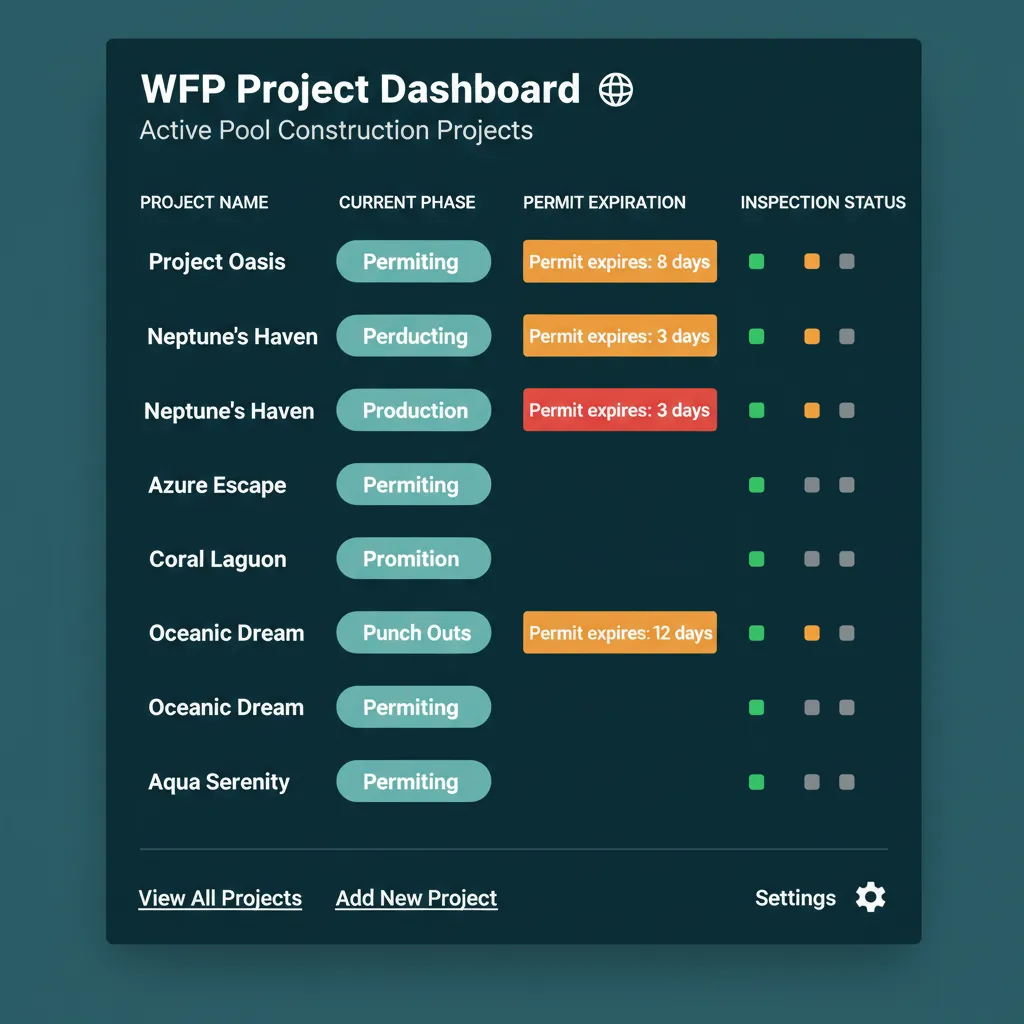
Pool Inspections Are Sequential. Miss One, and the Whole Build Stops.
It is Tuesday morning. Your dig inspection passed two weeks ago, and the bond beam crew is on site. The inspector arrives, walks the project, and tells your PM that the gas inspection from the previous step was never marked passed. Nothing else can happen until that inspector comes back. Your sub goes home. Six days lost. The construction inspection management software you do not have was supposed to catch that.
Now layer on the permit problem. Permits in Pasco County run 12 months. Permits in Hillsborough run 6. Permits in some Texas counties expire in 90 days if no inspection is requested. Your PM tracks them on a sticky note that got lost. Or they tracked them in a spreadsheet last updated in February. Either way, the first time you find out a permit lapsed is when an inspector tells the customer. Building permit tracking construction teams used to do on paper does not survive 25 active builds across three counties.
The legal floor of your business is municipal compliance. When that floor cracks, every project on top of it stops moving.
Every Inspection Tracked. Every Permit Countdown Visible. Phase Closure Enforced.
Inspections and permits are not items on a checklist in WFP. They are gates. A project step cannot close without its required inspections passing, and every permit shows its expiration countdown on the project dashboard, the all-projects view, and the attention queue.
Inspection Status Tracking
Each project step lists its required inspections, dig, bond beam, plumbing, gas, final for pool builds, foundation, framing, electrical, plumbing, mechanical, final for general contractors. Each inspection has a state. Each state, passed, pending, or failed, is visible to the PM, the office, and the owner. Inspection tracking construction teams can rely on without picking up the phone.
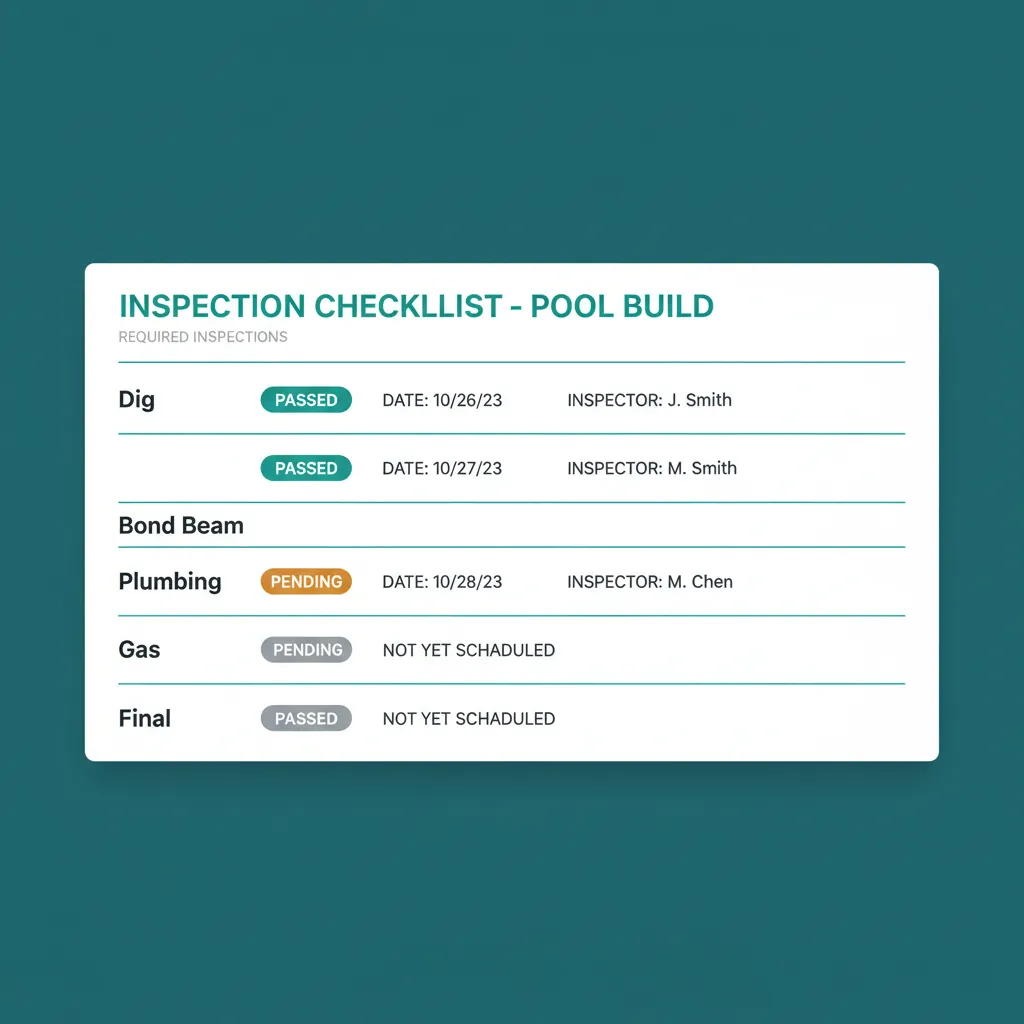
Five inspections per pool. Five gates. The PM sees what is open, what passed, what blocked.
Phase Closure Gates
Production cannot complete unless its required inspections are marked passed. The system blocks the transition. Your PM cannot accidentally advance a job that has a failed inspection or a missing one. The phase advance button stays disabled with a tooltip naming the blocker.
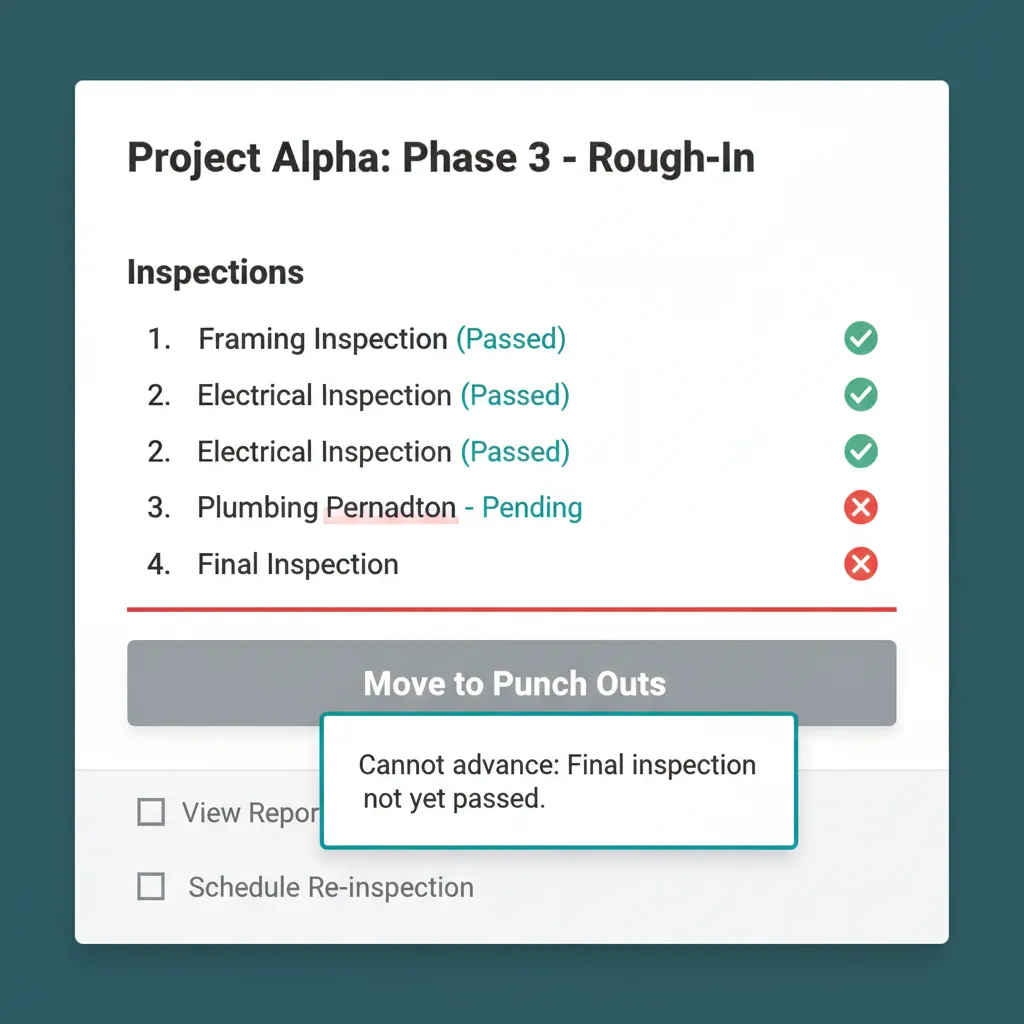
The button refuses to move the project forward. The platform remembered so the PM did not have to.
Permit Countdowns on Every Dashboard
Permit expiration dates are not a data field tucked into a project profile. They show as countdown badges on the all-projects dashboard, in the project drill-down, and in the attention queue when they cross the warning threshold. Permit tracking software for contractors used to mean a spreadsheet someone forgot to update. Here it is the dashboard everyone opens at 7am.
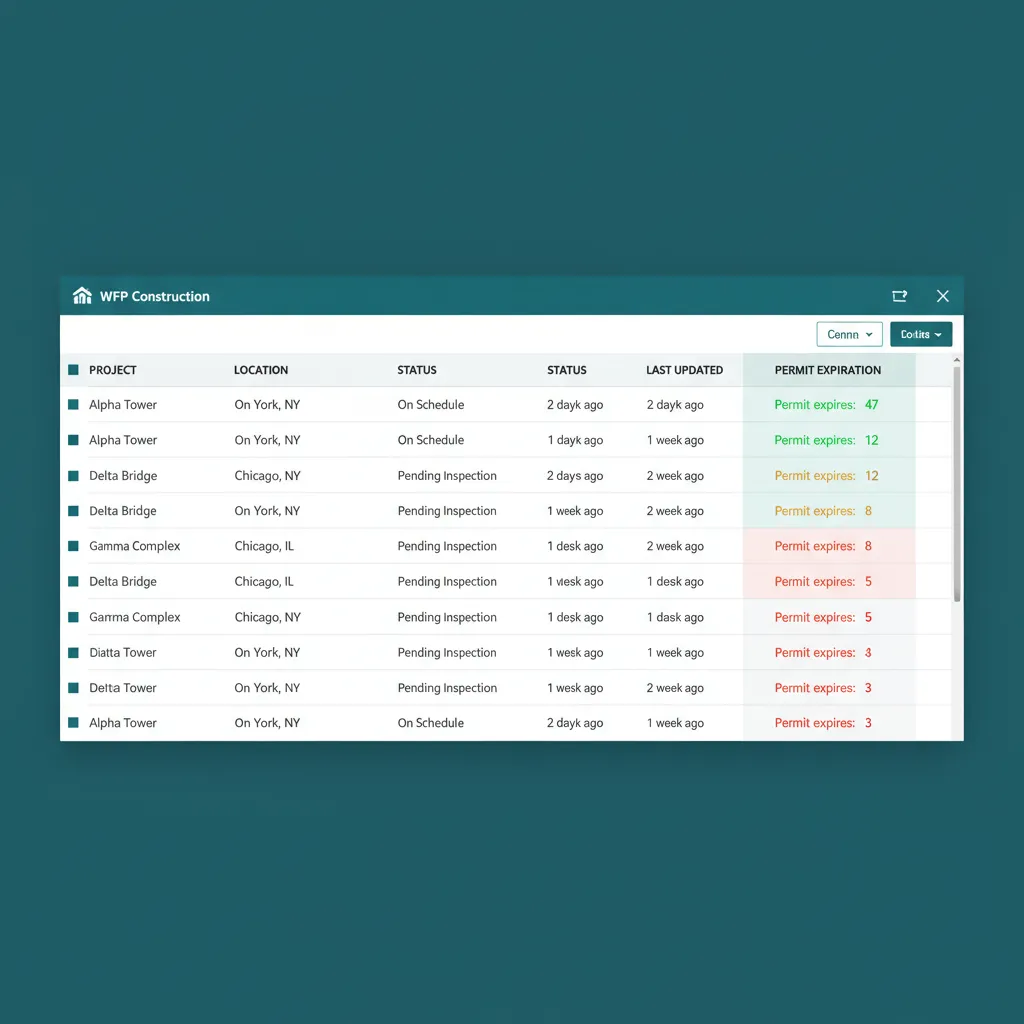
47 days green. 8 days amber. 3 days red. Three people see it before it expires.
Dedicated Permitting Phase
The project lifecycle includes a Permitting phase before Staging. Permit applications, plan reviews, approval dates, permit numbers, and attached permit PDFs are tracked in their own phase with their own status workflow. Permits move through Submitted, Under Review, and Approved before the project enters Staging.
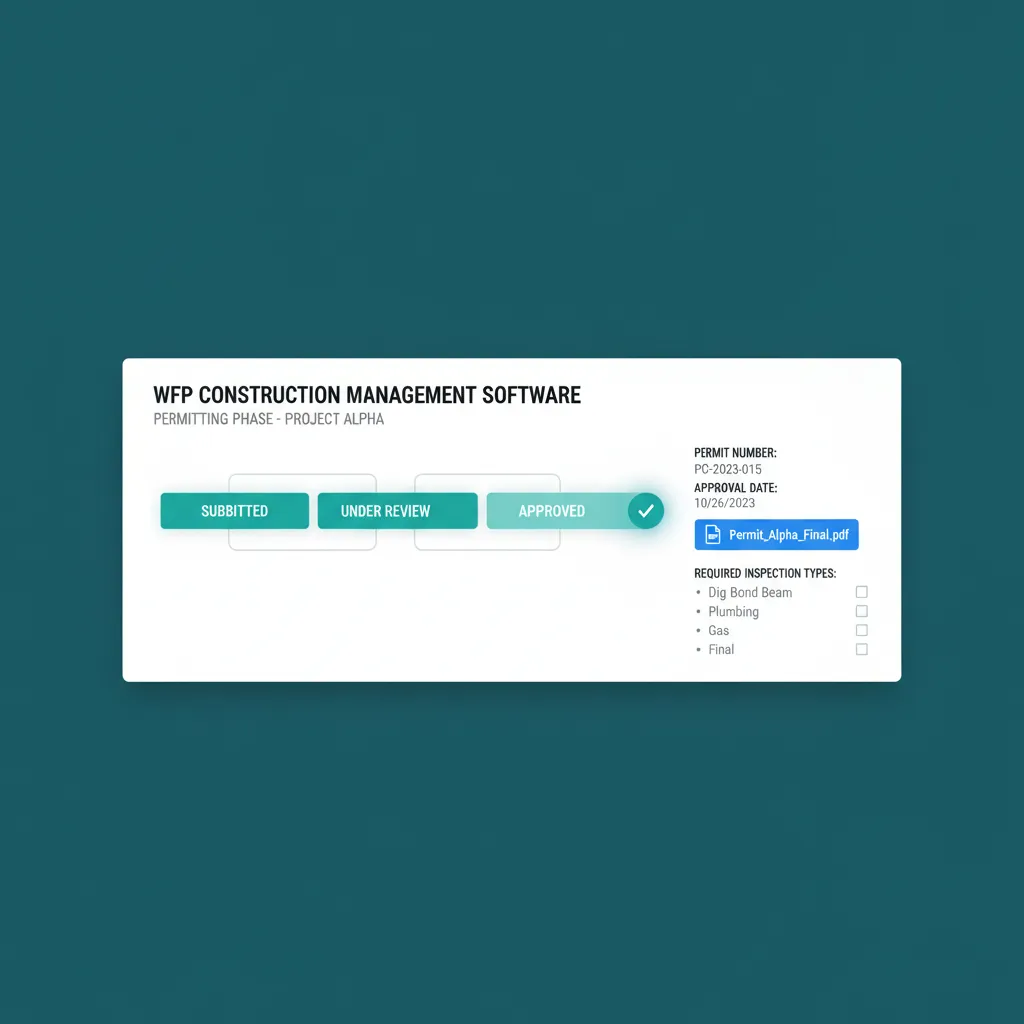
A real phase, not a checkbox. Applications, approvals, and inspection requirements live here.
Jurisdiction-Specific Configuration
Inspection types, permit windows, and required documents are configurable per municipality and per project type. A pool build in Pasco County and a remodel in Travis County can have entirely different inspection chains and permit windows in the same WFP instance. Construction permit management at the municipal level, without forcing every job through one rigid template.
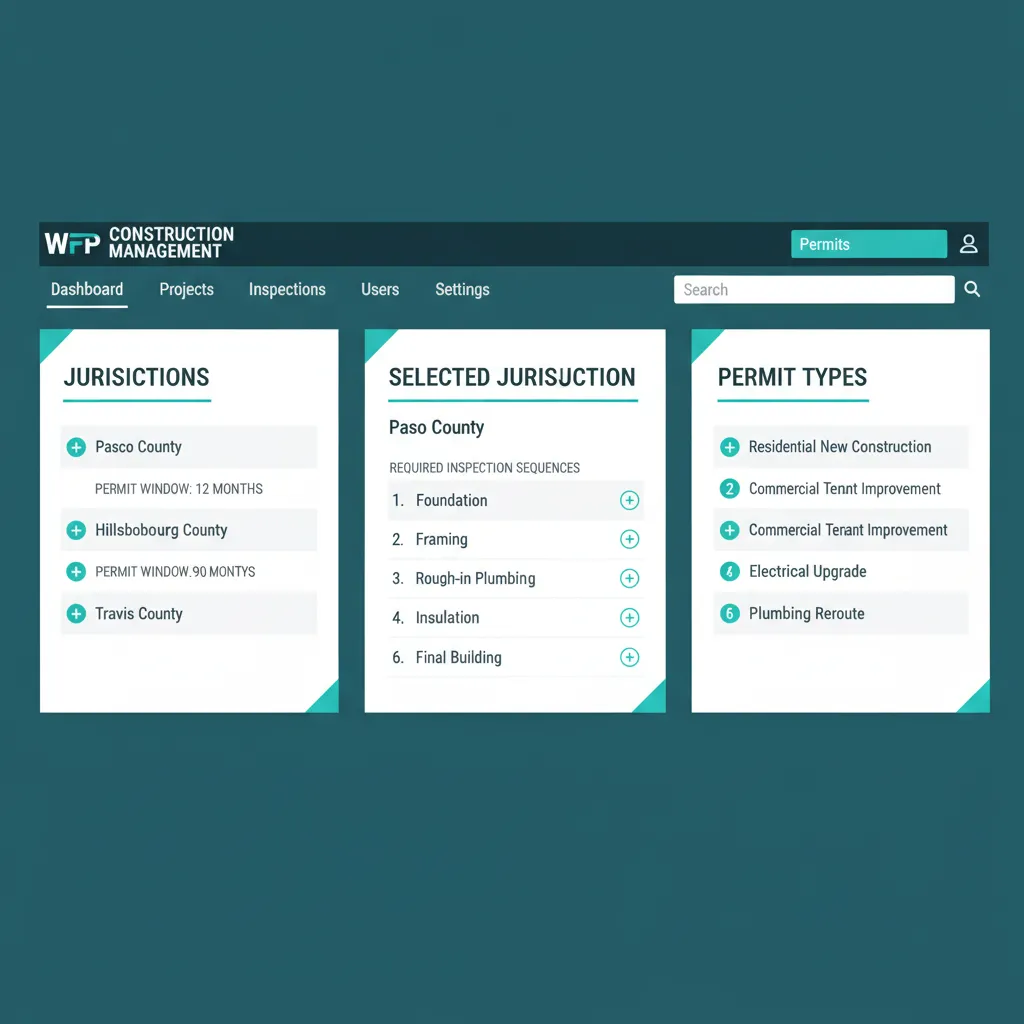
Pasco runs 12 months. Travis runs 90 days. The system already knows.
WHAT TRACKING TOOLS CAN'T DO
Most Software Records Inspections. WFP Refuses to Let You Advance Without One.
Most construction PM platforms let you record inspection results. WFP refuses to let your project advance without them. That is a fundamental difference. Tracking is informational. Enforcement is operational. When the system blocks a phase advance because the gas inspection has not passed, your PM cannot forget. The platform remembered so they did not have to.
And permits get the same treatment. A countdown badge on the dashboard is not a calendar reminder you can dismiss. It sits on the screen Marcus opens every morning. A permit expiring in 12 days is loud. A permit expiring in 3 days is louder. By the time it reaches expired, three other people have already seen the alert and someone scheduled the next inspection.
Why we built this
We made the platform stubborn so the municipality never has to be.
BATTLE-TESTED
Zero shutdowns from missed inspections or expired permits across 60+ active builds.
WFP was built inside a pool construction company that operated across multiple Florida counties simultaneously. The pool inspection scheduling software approach in this platform, gates and countdowns instead of checkboxes, is the reason no project stopped because of a compliance gap. Every municipality. Every inspection. Every permit. Tracked, surfaced, and gated.
Common Questions About Inspections & Permitting
Yes. Permit windows, expiration dates, and renewal requirements are configurable per municipality. Countdown badges appear on the dashboard, the project view, and the attention queue. Permits never quietly expire because three different views surface the countdown before they do.
The inspection is marked failed, the project step stays open, and the phase cannot close until the inspection is marked passed on a re-inspection. The PM is notified and the failure is logged with notes and a reschedule option. No silent passes, no quiet workarounds.
Yes. Phase closure is gated. A phase cannot move from Production to Punch Outs without every required inspection for that phase marked passed. This is enforcement, not tracking. The advance button stays disabled with a tooltip that names the missing inspection.
Yes. Inspection types, sequence, and required documents are configurable per project type and per jurisdiction. A Pasco County pool build and a Hillsborough remodel can have entirely different inspection chains. Travis County permits expiring in 90 days run on a different cadence from Florida permits running 12 months.
The Permitting phase tracks application status, plan review, approval dates, permit numbers, and attached permit documents. Permits move through Submitted, Under Review, and Approved before the project enters Staging. Plan reviews and approvals are not buried in a folder, they sit in the phase that owns them.
Yes. The all-projects dashboard surfaces upcoming inspections, the attention queue flags overdue or failed inspections, and a dedicated inspections view shows the full week schedule across the whole company. One screen, every project, every inspection on the calendar.
Related Features
See Inspections & Permitting in Action.
Bring a real project with a real permit window and we will show you exactly how WFP keeps it on schedule and the municipality satisfied.
Schedule a DemoNo 6-month onboarding commitment. No per-seat pricing. Just a conversation about how your operation could run.